
Product / Reception
Hotel reception robot for welcome, wayfinding and check-in support
Response within 24 hours · Warranty: 12 months
Reviewed by Aobotics Project Team
Quick answer
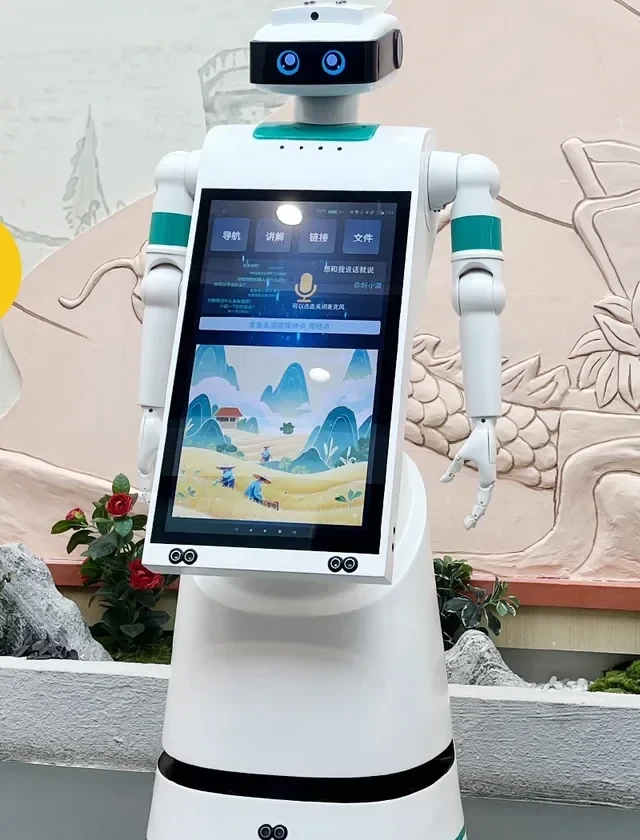
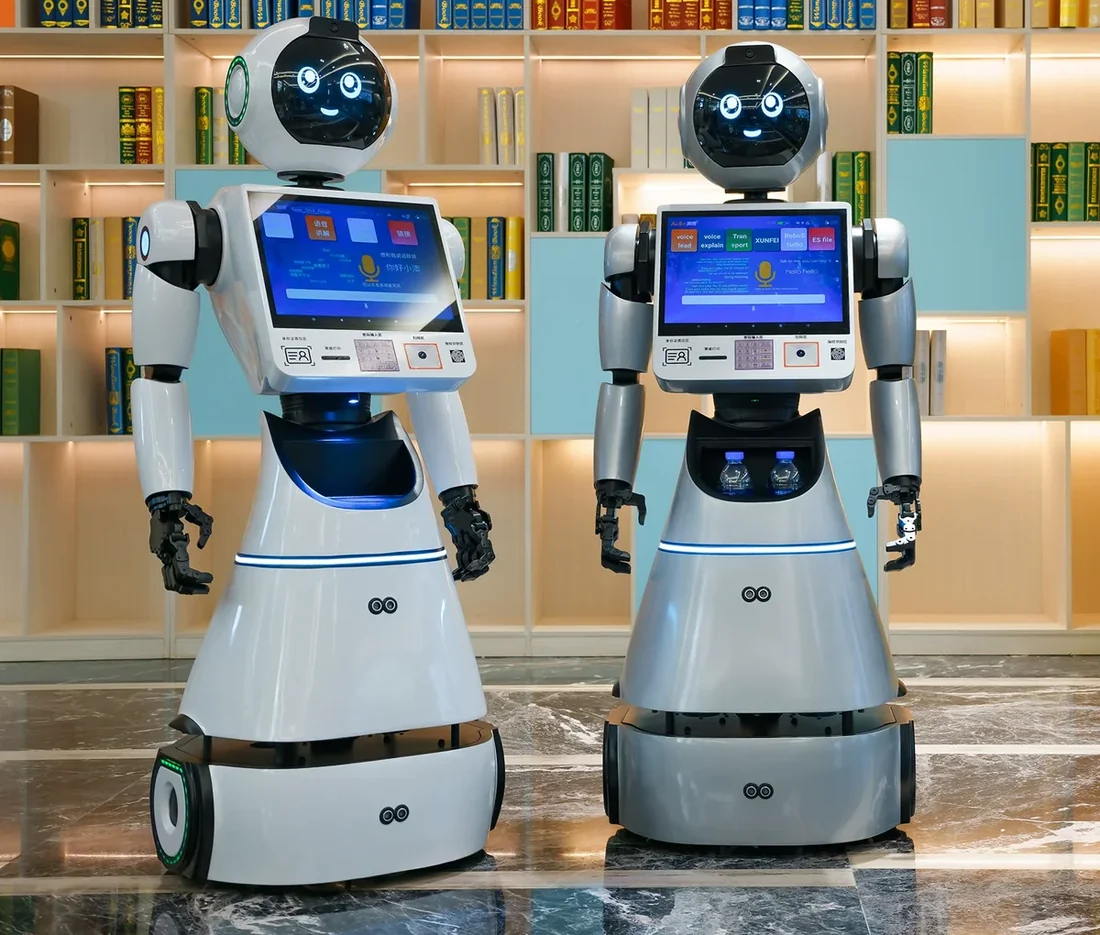
The baluo-3.0 hotel reception robot greets guests, answers common questions, guides them to the lift or outlet and supports check-in without replacing the front desk. It is the welcome robot for the lobby, not a self-service kiosk. It uses a 15-inch chest screen, a 7-inch expression screen and optional PMS hand-off; pricing is quoted per configuration and project scope.
- Lobby configurations
- 2
- Lobby availability
- 24/7
- Warranty
- 12 mo
- Per project
- Quote
Definition
What does a welcome robot do at hotel reception?
It handles the first thirty seconds of a guest interaction.
A hotel reception robot — often called a welcome robot — stands in the lobby and starts the conversation: welcome, language selection, directions, breakfast hours, Wi-Fi, lift location, check-out time and the route to a specific outlet. It can also show a check-in status or hand the guest to a human agent.
It is not a self-service check-in kiosk and it is not a concierge. Its value is availability and consistency: the same welcome at 02:00 as at 14:00, in the languages the property chooses, without pulling a staff member away from the desk.
- Welcome and language selection at the lobby entrance or lift lobby.
- Wayfinding to reception, lifts, restaurant, gym, pool and meeting rooms.
- Answers to repeatable questions: breakfast, Wi-Fi, check-out, luggage storage.
- Optional PMS hand-off: arrival status, room readiness and a prompt to the front desk.
- Optional queue support: take a name and purpose, then notify the agent.
Placement
Where should a reception robot stand?
Placement decides whether guests use it or walk around it.
The best position is usually the path between the entrance and the front desk, offset to one side so it does not block circulation. It should face arriving guests, have a clear view of the door, and leave at least 1.2 m for luggage and wheelchairs.
Avoid placing it directly at the desk, where it competes with staff, or in a corner where it looks like a display. A small floor marker and a welcome line on the screen help guests understand that the robot is interactive.
| Location | Strength | Risk |
|---|---|---|
| Entrance path | First contact; can guide to the desk | May block luggage flow if the lobby is narrow |
| Lift lobby | Captures guests at the moment they need directions | Less useful for arrival and check-in |
| Near the front desk | Easy hand-off to staff | Competes with the desk; guests may ignore it |
| Outlet corridor | Good for wayfinding and promotions | Lower dwell time; less check-in value |
Languages
How many languages can a reception robot speak?
The language set is a content decision, not only a translation task.
The robot can present a language menu and switch the welcome, directions and FAQ content. The practical limit is the property’s ability to maintain the content, not the screen. Start with the top three to five guest languages for the property and add more after the pilot.
Voice output needs a quiet lobby and a clear microphone. In a noisy atrium, the screen and large touch targets matter more than voice. Confirm the language list and the fallback language in the configuration.
- Choose languages from the property’s guest mix, not a generic list.
- Keep the welcome under 20 seconds; guests can tap for more.
- Provide a fallback language and a clear “call a human” button.
- Review translations with the front-office team before go-live.
PMS
Can a reception robot check guests in?
It can support check-in; it does not replace identity verification or payment.
With a PMS connector, the robot can read arrival status and tell the guest whether the room is ready, then direct them to the desk or a self-service kiosk. It cannot complete legal identity verification, take a payment or issue a key card unless those functions are provided by a separate kiosk.
For most hotels, the valuable part is the hand-off: the robot collects the guest’s name and purpose, checks the PMS, and alerts the front desk that a guest is waiting. That reduces the “is anyone at the desk?” moment without changing the legal check-in process.
PMS access is read-only by default. Write access and payment functions are outside the standard scope and require a separate security review.
Models
Which baluo-3.0 configuration fits the lobby?
One reception platform, two configurations: standard greeting, or greeting plus storage and delivery.
Screen size, height, finish and language pack are confirmed per order. The parameters below are from the factory specification.
| Configuration | Best fit | Screen | Interaction | Price |
|---|---|---|---|---|
| baluo-3.0 · standard | Compact lobby or lift lobby | 15-inch chest + 7-inch expression screen | Touch, voice, wayfinding | Contact for quotation |
| baluo-3.0 · storage + delivery | Main lobby with parcel or amenity hand-off | 15-inch chest + 7-inch expression screen | Touch, voice, locker, delivery | Contact for quotation |
Parameters
baluo-3.0 technical parameters
| Parameter | Value |
|---|---|
| Brand / model | Aobo / baluo-3.0 |
| Battery | 20Ah polymer lithium |
| Operating system | Android |
| Memory | 4 GB |
| Screen | 15-inch chest + 7-inch expression screen |
| Dimensions | 140 cm |
| Weight | 40 kg |
| Languages | Chinese / English |
| Warranty | 1 year, lifetime maintenance |
| Product type | Reception and guide robot |
| Payload / locker | Optional storage locker; capacity confirmed per configuration |
| Battery runtime | Confirmed per configuration |
| Charging time | Automatic recharge; timing confirmed per configuration |
| Speed | Confirmed per configuration |
| Navigation | Lobby map, obstacle avoidance and dock return |
| Lift / PMS | Wayfinding and optional PMS hand-off; connector confirmed per property |
| Network | Wi-Fi; coverage confirmed in the site survey |
| Certification | Compliance pack per model and destination |
| MOQ | 1 unit pilot; programme terms from 5 units |
| Lead time | Confirmed in the quotation; typically 4–6 weeks after configuration and deposit |
Privacy
What about guest privacy and data?
Collect less, store less, and say why.
A reception robot should not record conversations or capture facial images unless the property has a clear legal basis and a documented retention policy. The default configuration stores interaction events, not audio or video.
If the robot reads PMS data, limit it to arrival status and room readiness. Do not display the guest’s full name, rate or personal details on a public screen. The property’s privacy notice should explain what the robot collects and how to ask for a human.
- Default: no audio or video recording.
- PMS: read-only arrival status; no rate or payment data on screen.
- Guest data: retained only as long as needed for the task and audit.
- Human hand-off: always available, clearly labelled on screen.
Frequently asked questions
Frequently asked questions
Response within 24 hours · Talk to an engineer
Does a reception robot replace front-desk staff?
No. It handles repetitive welcome, wayfinding and FAQ interactions so staff can focus on check-in, problems and upsells. The property still needs a human at the desk, especially for identity verification, payments and complaints.
Can the robot guide a guest to a specific room?
It can guide to the lift bank, floor and corridor, but it should not lead a guest to a room door in a way that compromises privacy. Most hotels use the robot for lobby-to-lift wayfinding and let the guest follow the room signage from there.
Does it need a stable internet connection?
Yes. Content updates, PMS lookups and remote support need a network path. A local cache can keep the welcome and FAQ content running during a brief outage, but PMS and task functions will degrade.
Can we update the welcome and FAQ content ourselves?
Yes. The content is maintained through the management console or a content file, depending on the configuration. The property should assign an owner and review the content monthly, especially for outlet hours and seasonal offers.
Is voice interaction reliable in a noisy lobby?
It depends on the acoustic environment. A quiet lobby works well; a hard-surfaced atrium may need directional microphones or a screen-first interaction. Test the actual lobby during peak hours before committing to voice-first.
Can the robot take a queue number?
Yes, as an optional workflow. It can collect a name and purpose, issue a queue reference and notify the front desk. It should not replace the property’s existing queue system unless that system is integrated.
What languages are supported?
The language set is configured for the property. The practical constraint is content maintenance, not the platform. Start with the top three to five guest languages and add more after the pilot.
How much does a reception robot cost?
The project price is quoted per configuration and scope. Screen size, storage locker, PMS integration, content production, freight, duties and installation are itemised in the quotation. Contact us for a current quotation.
Aobotics
Plan a lobby pilot
Send the lobby layout and guest language mix. We will recommend a placement and a content set.
- Response within 24 hours
- Talk to an engineer
- Warranty: 12 months
Tell us about your property
Share your property and the task. We reply with a configuration and a scoped quotation within 24 hours.